Get Reports
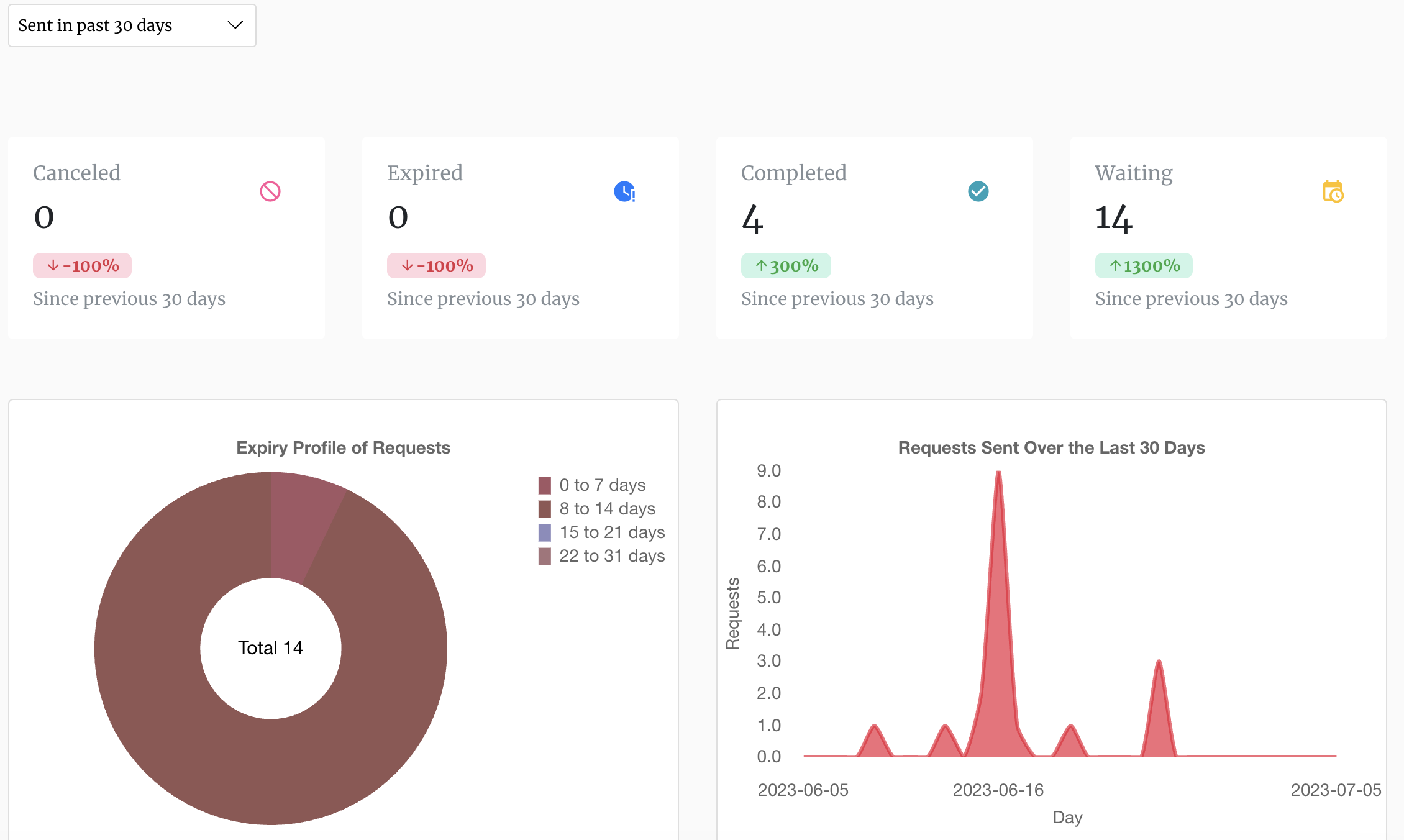
The Reports page provides a graphical and tabular overview of the current state of your e-signature requests. The page is available from your account dashboard after you log in.
You can generate reports for a selected period, ranging from 30 days to 2 years, allowing you to review activity and track the progress of your e-signature workflows over time.
What Your Reports Include
Reports provide an overview of:
- The number of e-signature requests that have been cancelled
- The number of requests that have expired without being completed
- The number of requests that have been completed
- The number of requests that are currently in progress
- The age profile of outstanding requests, showing how long requests have remained incomplete
- A trend graph showing the number of e-signature requests sent during the selected period
This gives you a clear view of your e-signature activity and helps you identify outstanding requests that may require follow-up.
Ask the AI Agent for Status Updates
You can also get status information directly from the DocEndorse AI agent without opening the Reports page.
Simply ask the AI agent for the status of your e-signature requests, and it can provide an overall view of your current signing activity, including how many requests are completed, pending, expired, or cancelled.
You can also ask about the status of an individual e-signature request. For example, you could ask:
“What is the status of the agreement I sent to John Smith?”
The AI agent can identify the relevant request and provide its current status, helping you quickly determine whether action or follow-up is required.
This allows you to monitor your e-signature workflows using either the Reports page or natural-language requests to the AI agent.

Whether you're handling 10 documents or 10,000, our AI-powered signing assistant will save you time, reduce errors, and close loops faster.
© DocEndorse. All Rights Reserved


Resources